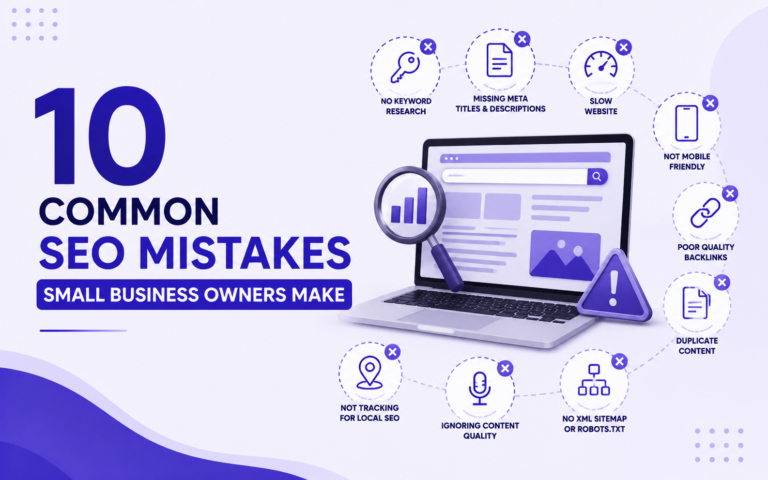
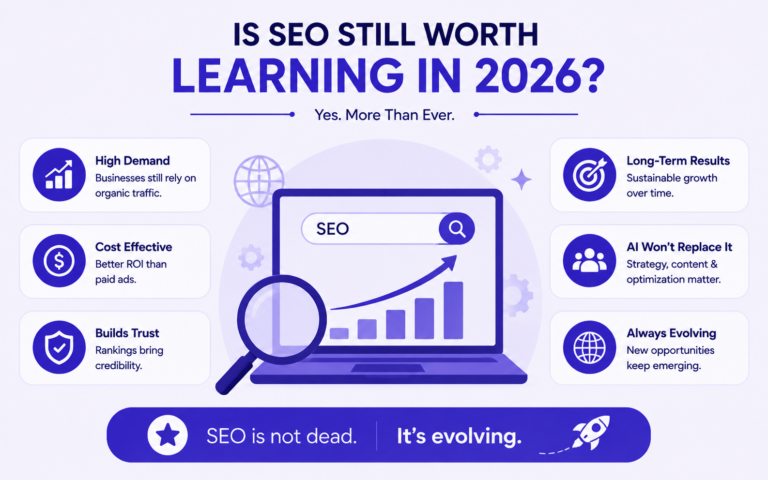
SEO principles are the foundational rules that help search engines find, understand, and rank your website. They fall into four categories: technical health, on-page content, authority building, and user experience. A website that consistently follows these principles earns more organic traffic without relying on paid ads.
This guide covers every principle in order of implementation priority, from the foundation layer (can Google even see your site?) to the trust signals that separate page-one results from everything else.
Why SEO Principles Matter More Than Tactics
Most websites that fail at SEO are not missing a clever trick. They are skipping the fundamentals.
SEO content online is flooded with tactics: “add your keyword to the first 100 words,” “get backlinks from high-DA sites,” “use LSI keywords.” Tactics change. Google’s algorithm updates retire entire strategies overnight. What does not change are the underlying principles those tactics are built on.
The Difference Between an SEO Tactic and an SEO Principle
| SEO Tactic | SEO Principle | |
|---|---|---|
| What it is | A specific action | A rule that governs all actions |
| Changes over time | Yes, frequently | Rarely |
| Example | Using exact-match anchor text | Relevance and intent matching |
| Risk of becoming outdated | High | Low |
| Who benefits from it | Sites chasing short-term gains | Sites building long-term visibility |
A tactic is how you execute a principle. If the principle is “match content to search intent,” one tactic might be checking the top five SERP results before writing a page. The tactic might evolve. The principle does not.
What Happens to Websites That Skip the Fundamentals
Businesses that chase tactics before foundations run into the same pattern: short-term ranking spikes followed by drops they cannot explain. The common causes are always traceable to a broken fundamental:
- Pages ranking but not converting, because the content does not match what the searcher actually wanted
- Traffic that disappears after an algorithm update, because the site was optimized for a loophole rather than relevance
- A site that ranks for nothing despite months of publishing, because Google cannot properly crawl or index it
- Backlink campaigns that produce no results, because the pages they point to have no on-page foundation to work with
Fix the principles first. Layer tactics on top.
Principle 1: Make Your Website Crawlable and Indexable
If Google cannot access your pages, nothing else in this guide matters. Crawlability and indexability are Step 0, not an afterthought.
What Crawlability and Indexability Actually Mean
These two terms are often used interchangeably. They are not the same thing.
Crawlability means Googlebot can access and read your pages. Indexability means Google chooses to store and rank those pages in its search index. A page can be crawlable but deliberately excluded from the index. A page can also fail to be crawled at all, which means it will never be indexed. Both failures produce the same result: zero organic traffic.
The most common silent SEO failure is a page that is crawlable but carries a noindex tag, either added accidentally by a developer during a site migration or left on by a WordPress SEO plugin that was never properly configured after launch.
How to Check If Google Has Indexed Your Pages Right Now
Step 1: Open Google and search site:yourdomain.com
Step 2: Count the results. Each one is a page Google has stored in its index.
Step 3: If key pages are missing from those results, open Google Search Console.
Step 4: Navigate to URL Inspection and enter the exact URL of the missing page.
Step 5: Read the “Coverage” status. Look for flags like “Excluded,” “Noindex tag,” or “Crawled but not indexed.”
Step 6: For “Noindex” flags, check your page settings in your CMS or SEO plugin and remove the noindex directive. For “Crawled but not indexed,” improve the page’s content depth and uniqueness, then request indexing.
The robots.txt and Noindex Mistakes That Quietly Kill Rankings
Two configuration errors account for the majority of indexation problems on small business websites:
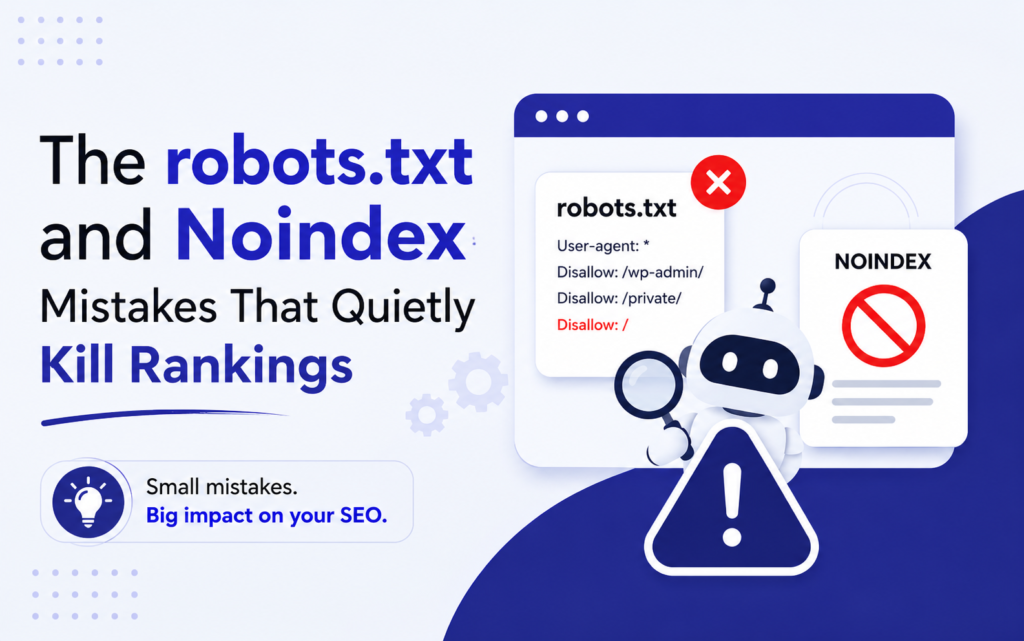
Mistake 1: Blocking the entire site in robots.txt When switching themes, installing a new SEO plugin, or migrating a site, WordPress has a “Discourage search engines from indexing this site” checkbox in Settings > Reading. It is designed for development environments. It is regularly left checked on live sites. One checkbox. Zero rankings.
Mistake 2: Accidental noindex on category or service pages SEO plugins like Yoast and Rank Math allow you to set noindex at the page level and at the taxonomy level. Many users noindex tag and category archives (a reasonable choice) without realizing their plugin has also applied the setting to service pages or landing pages. Audit every high-value page individually inside Google Search Console, not just the homepage.
Principle 2: Match Every Page to a Clear Search Intent
Publishing content is not the same as publishing content Google will rank. The single most common reason a well-written page never reaches page one is an intent mismatch: the content format does not match what searchers at that query actually want.
The Four Types of Search Intent
| Intent Type | What the User Wants | Example Query | Content Format Google Expects |
|---|---|---|---|
| Informational | To learn something | “what is local SEO” | Blog post, guide, video |
| Navigational | To find a specific brand or site | “ShEarn SEO Karachi” | Homepage, About page |
| Commercial | To compare options before buying | “best SEO agency Pakistan” | Comparison page, listicle, review |
| Transactional | To take action right now | “hire SEO expert Lahore” | Service page with clear CTA |
Why Targeting the Wrong Intent Is Worse Than Targeting No Keyword
A service page optimized for an informational keyword will not rank page one, regardless of how well-written it is. Google has already determined that the top results for “what is local SEO” should be educational articles. It will not replace those with a sales page, even a well-optimized one.
This matters because the mismatch costs you on two fronts simultaneously:
- You do not rank for the keyword you targeted
- You do not convert the rare visitor who does land on the page, because they were looking for information and found a sales pitch
The fix is not better writing. It is choosing the right content format before you write a single word.
How to Identify the Intent Behind Any Keyword Before Writing
Step 1: Google the keyword you are targeting.
Step 2: Look at the top five results. Are they blog posts, service pages, product listings, or videos?
Step 3: That content format is Google’s intent signal for that query. It reflects what searchers at that query actually click on and engage with.
Step 4: Match your content format to what already ranks. If the top five are all “how to” blog posts, a service page will not compete, no matter how many times you include the keyword.
One practical note for local businesses: high-commercial-intent local queries like “SEO agency in Charlotte” or “digital marketing Karachi” are almost always won by service pages with specific city references, client-focused language, and a clear contact method above the fold, not by long educational articles.
Principle 3: Optimize On-Page Elements Correctly
On-page SEO is not keyword stuffing. It is giving Google a clear, consistent set of signals that confirm what a page is about and who it is for.
The Hierarchy of On-Page SEO Elements
These elements are ranked by their influence on how Google understands and ranks a page:
- Title tag — The strongest on-page signal. Appears in the browser tab, the SERP headline, and is used by Google to understand the primary topic of the page. Include your primary keyword, front-load it where possible, keep it under 60 characters.
- H1 heading — Confirms the page topic. There should be exactly one H1 per page. It does not need to be an exact copy of the title tag, but it must reinforce the same topic.
- URL slug — Short, descriptive, keyword-included, hyphen-separated. Avoid auto-generated slugs with numbers or dates. A URL like
/seo-services-karachi/tells Google more than/page?id=2847. - Meta description — Does not directly affect ranking, but controls click-through rate. A weak meta description on a page ranking in position 4 is leaving traffic on the table.
- Body content — Depth, coverage of related subtopics, and natural use of semantic keywords matter more than keyword density. A page that comprehensively covers a topic will outrank a page that repeats one keyword.
- Image alt text — Serves two purposes: accessibility for screen readers, and image search visibility. Describe the image accurately and include relevant keywords where they fit naturally.
- Internal links — Distribute authority across your site, help crawlers discover new pages, and signal topical relationships between content.
Title Tag and Meta Description Rules That Still Work
Title tags:
- Keep the primary keyword within the first 30 to 35 characters so it is visible on both desktop and mobile SERPs
- Keep total length under 60 characters to avoid truncation
- Do not write the same title tag for multiple pages. Duplicate title tags tell Google the pages cover the same topic and will suppress both
- Numbers and brackets consistently improve click-through rates: “7 Core SEO Principles” or “SEO Checklist [2025]” outperform generic titles in A/B tests
Meta descriptions:
- Keep under 155 characters
- Write for the click, not for Google. Include a specific benefit or outcome the reader gets from visiting the page
- Every page should have a unique meta description. Missing or duplicate meta descriptions cause Google to auto-generate one, usually pulled from a random paragraph in the page body
The Internal Linking Mistake Most Beginners Make
Using exact-match anchor text repeatedly on internal links triggers over-optimization signals. If every internal link pointing to your SEO services page uses the anchor text “SEO services,” Google reads that as manipulative.
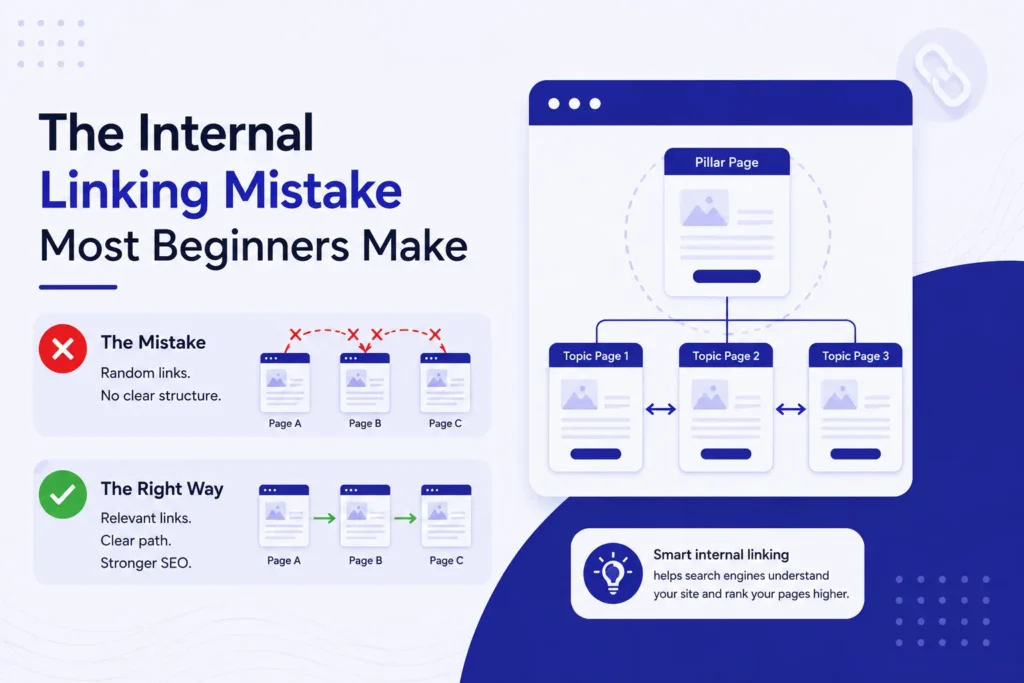
What to do instead: Vary the anchor text naturally. Use the page’s target keyword as anchor text occasionally, but also use related phrases, partial matches, and descriptive labels: “our approach to on-page optimization,” “learn more about local SEO,” “this guide covers keyword research.”
One technical note specific to the ShEarn site: when adding contextual internal links inside body copy, use style="color:inherit;" on the anchor tag so the link blends with the surrounding text rather than breaking the design with a high-contrast underline.
Also: never link a page to its own URL within its own content. Internal links on a service page should always point to other pages on the site, not to themselves.
How to Write H1 and H2 Tags That Satisfy Both Google and Readers
Your H1 should state the topic of the page in plain language. Your H2s should act as a navigational map of the page’s subtopics.
A simple test: read only your H1 and H2 headings in sequence, with nothing else. That sequence should tell a coherent story about what the page covers. If it reads like a jumbled keyword list, reorganize the structure before you fill in the body copy.
Avoid putting keywords in H2s where they do not belong naturally. A forced H2 like “Why SEO Services in Karachi Are Important for Your Business” damages readability and is not more effective than a plain, useful heading like “Why Local SEO Matters for Karachi Businesses.”
Principle 4: Build Page Speed and Core Web Vitals Into Every Page
Page speed is a confirmed Google ranking factor. Core Web Vitals are the specific metrics Google uses to measure it. A slow website does not just frustrate users. It actively suppresses rankings.
What Core Web Vitals Are and Which Ones Google Uses for Ranking
| Metric | What It Measures | Good Score | Most Common Cause of Failure |
|---|---|---|---|
| LCP (Largest Contentful Paint) | How fast the main content of the page loads | Under 2.5 seconds | Uncompressed hero images, slow hosting |
| INP (Interaction to Next Paint) | How quickly the page responds to user clicks | Under 200ms | Heavy or blocking JavaScript |
| CLS (Cumulative Layout Shift) | Whether elements move around as the page loads | Under 0.1 | Images without set width/height dimensions |
INP replaced FID (First Input Delay) as an official Core Web Vital in March 2024. If you are referencing older SEO guides that still list FID, that information is outdated.
Free Tools to Test Your Site Speed Right Now
- Google PageSpeed Insights (pagespeed.web.dev): Runs both mobile and desktop audits and shows your exact Core Web Vitals scores, field data from real users, and a prioritized list of fixes
- GTmetrix: Gives a visual waterfall chart that shows which specific resources are slowing the page down
- Google Search Console Core Web Vitals report: Shows which pages on your entire site have poor scores, grouped by issue type
Always test the mobile score first. For audiences in Pakistan, where mobile traffic accounts for the majority of web usage, a poor mobile Core Web Vitals score is a direct ranking disadvantage.
The Highest-Impact Speed Fix for Most Small Business Websites
Before touching server configuration, caching headers, or CDN setup, do this first:
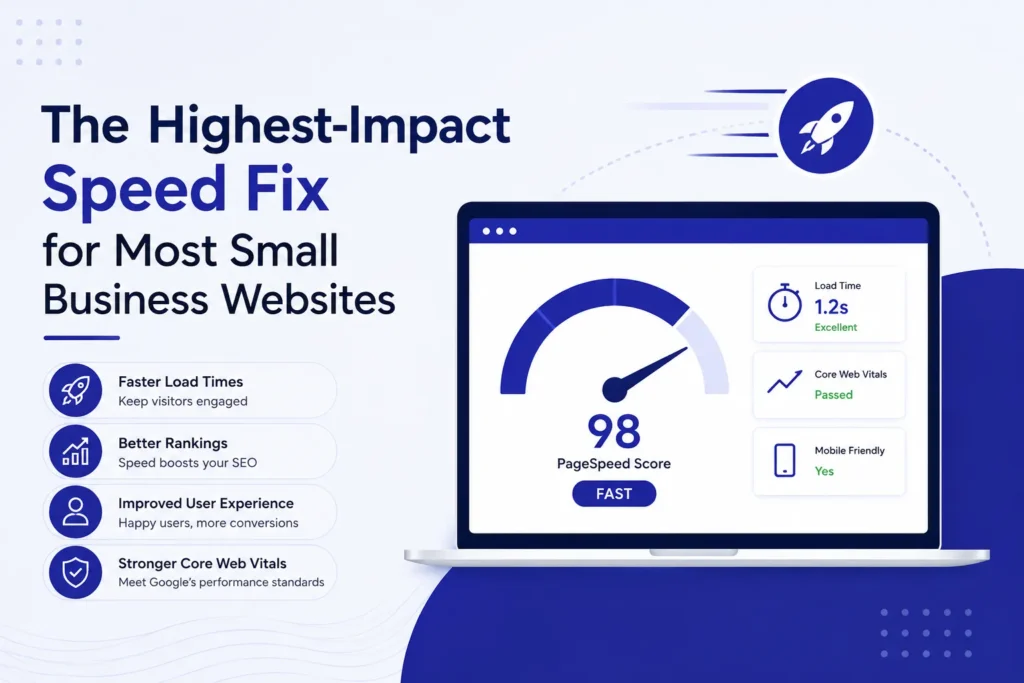
Compress every image on the site.
Unoptimized images are the primary cause of poor LCP scores on 60 to 80 percent of small business WordPress sites. A homepage hero image uploaded at 4MB will guarantee a failing LCP score regardless of how fast the hosting server is.
The fix takes under 10 minutes:
- Install the ShortPixel or Smush plugin on WordPress
- Run bulk optimization on your media library
- Set all future uploads to auto-compress on upload
After images, the next highest-impact fix is caching. Install WP Rocket or W3 Total Cache, enable page caching and browser caching, and re-run your PageSpeed Insights score. Most sites see a 20 to 40 point improvement from these two steps alone before touching anything else.
Principle 5: Earn Authority Through Relevance, Not Just Backlinks
Backlinks are a ranking factor. But the obsession with backlink quantity that dominated early SEO has been replaced by a more accurate understanding: one highly relevant link is worth more than one hundred irrelevant ones.
What Domain Authority Actually Is (and What It Is Not)
Domain Authority (DA) is a metric created by Moz. It is not a Google ranking factor. Google does not use DA internally and has confirmed this multiple times.
What Google actually uses are its own internal signals related to PageRank (the authority passed through links) and E-E-A-T (Experience, Expertise, Authoritativeness, Trustworthiness). These are not publicly accessible numbers. Third-party metrics like DA and DR (Ahrefs) are useful approximations for competitive analysis, but treating a DA score as a proxy for Google ranking power is a category error.
The practical implication: do not pay for links purely to increase a DA number. Focus on earning links that send qualified referral traffic and that come from sites genuinely related to your industry or location.
Quantity Links vs. Relevant Links
| 100 Low-Relevance Links | 10 High-Relevance Links | |
|---|---|---|
| Source examples | Generic directories, comment spam, PBNs | Industry blogs, local business news, partner sites |
| Risk level | High. Manual penalty exposure under Google’s spam policies | Low |
| Ranking impact | Minimal to negative | Significant |
| Referral traffic | Near zero | Consistent |
| Effort to earn | Low, often purchased | High but sustainable |
For Local Businesses: Why Google Business Profile Citations Often Outperform Backlinks
For businesses targeting local searches, such as “SEO agency in Lahore” or “digital marketing Charlotte NC,” consistent NAP citations (Name, Address, Phone number) across directories can directly impact local pack rankings more than general backlinks.
This is because the local pack algorithm weighs proximity, relevance, and prominence. Prominence is built through GBP signals: reviews, citation consistency, and category accuracy. A business with 30 consistent citations across local directories and a well-optimized GBP profile will frequently outrank a competitor with more backlinks but inconsistent NAP data.
Priority citation sources for Pakistan businesses: Google Business Profile, Facebook Business, Rozee.pk (for service businesses), and local chamber of commerce directories. For US cities, prioritize GBP, Yelp, Bing Places, Apple Maps, and city-specific business directories.
Principle 6: Design for Users First, Then Optimize for Bots
Google’s Helpful Content system, introduced in 2022 and expanded through multiple updates, is the clearest signal yet that optimizing for search engines at the expense of user experience is a strategy with a shrinking shelf life.
What Google’s Helpful Content System Actually Evaluates
The system targets content written primarily to rank rather than to inform. It applies a sitewide signal, meaning low-quality content on one section of your site can suppress rankings across all pages.
The underlying framework is E-E-A-T: Experience, Expertise, Authoritativeness, and Trustworthiness.
- Experience: Does the content reflect real-world experience with the topic? First-person examples, case studies, and specific operational details signal this.
- Expertise: Is the content accurate and detailed enough to demonstrate subject knowledge? Shallow overviews of topics the author clearly cannot speak to in depth are a red flag.
- Authoritativeness: Is the site or author recognized within their niche? Author bios, about pages, mentions from other credible sources, and consistent publishing in a defined topic area all contribute.
- Trustworthiness: Does the site behave honestly? Clear contact information, a privacy policy, transparent pricing (where applicable), and SSL (HTTPS) are baseline trust signals.
Small businesses do not need a PR budget to demonstrate E-E-A-T. Publishing detailed case studies about local client work, maintaining an accurate and complete GBP profile, and consistently covering a defined topic area rather than publishing random content all contribute to the signal.
Engagement Signals: What Matters and What Is a Myth
Google has stated directly that bounce rate as measured in Google Analytics is not a ranking factor. This is often misunderstood.
What does matter is a concept referred to in SEO circles as “pogo-sticking”: a user clicks your result, returns to the SERP within seconds, and clicks a competitor’s result instead. This signals to Google that your page did not satisfy the query.
The practical difference: a high “bounce” from a user who spent 4 minutes reading your article, got their answer, and left is not a problem. A high pogo-stick rate from users who land and immediately leave is. Write content that fully answers the query within the page itself. Do not force users to click through multiple pages to get the answer they came for.
Mobile-First Is Not Optional, Especially for Pakistan Audiences
Google indexes the mobile version of your site first. This is not a preference. It is how Google’s crawling and indexing infrastructure works. Your desktop rankings are determined by your mobile page quality.
For businesses serving Pakistan, where mobile accounts for the majority of internet traffic, a website that is not properly optimized for mobile is not just losing rankings. It is losing the primary channel through which Pakistani users discover businesses online.
Mobile optimization checklist:
- Text is readable without zooming (minimum 16px body font)
- Tap targets (buttons, links) are at least 44px tall
- Content does not overflow the screen horizontally
- Page loads in under 3 seconds on a 4G connection
- Forms are easy to complete on a touch screen
One-Time Setup vs. Ongoing Maintenance: Know the Difference
One of the most persistent misconceptions about SEO is that it is a project with a finish line. It is not. Some tasks are set-up-and-forget. Most are ongoing loops that require regular attention.
Knowing which is which prevents two failure modes: spending ongoing effort on things that only needed to be done once, and assuming you are “done” with SEO when the foundation is in place.
| SEO Task | Type | Recommended Frequency |
|---|---|---|
| Submit XML sitemap to Search Console | One-time setup | Once (auto-updates after) |
| Install SSL certificate (HTTPS) | One-time setup | Once |
| Set up Google Analytics 4 and Search Console | One-time setup | Once |
| Fix crawl errors | Ongoing | Monthly |
| Optimize title tags and meta descriptions | One-time per page | Revisit every 6 months |
| Publish new content | Ongoing | Weekly or biweekly |
| Build backlinks and citations | Ongoing | Continuous |
| Check Core Web Vitals | Ongoing | Quarterly |
| Update and refresh existing blog posts | Ongoing | Every 6 to 12 months |
| Monitor keyword rankings | Ongoing | Monthly |
| Audit internal linking structure | Ongoing | Every 6 months |
| Review Google Business Profile for accuracy | Ongoing | Monthly |
The most neglected ongoing task on this list is updating existing content. A blog post that ranked in position 6 two years ago, was never updated, and has been overtaken by newer, more detailed competitors is a quick win opportunity. Refreshing that post with current data, expanded coverage, and improved structure almost always produces faster ranking improvements than publishing a new post on the same topic.
Core SEO Principles Checklist
Apply this checklist to every page on your site. A page that satisfies all four categories is a page built to rank and retain traffic over time.
Technical Foundation
- [ ] Site is accessible over HTTPS (SSL installed)
- [ ] No critical pages are blocked by robots.txt or noindex tags
- [ ] XML sitemap is submitted to Google Search Console
- [ ] No broken internal links (404 errors on linked pages)
- [ ] Core Web Vitals scores pass for both mobile and desktop
On-Page Optimization
- [ ] Each page has a unique title tag under 60 characters with the primary keyword
- [ ] Each page has a unique meta description under 155 characters
- [ ] Each page has exactly one H1 that matches the page topic
- [ ] URL slug is short, descriptive, and keyword-included
- [ ] Images have descriptive alt text
- [ ] Internal links use varied anchor text and point to relevant related pages
Content and Intent
- [ ] Each page targets exactly one primary keyword (or closely related cluster)
- [ ] The content format matches the search intent for that keyword
- [ ] The page fully answers the query without forcing the user to go elsewhere
- [ ] Content demonstrates specific knowledge, not surface-level overviews
Authority and Trust
- [ ] Google Business Profile is claimed, complete, and accurate
- [ ] NAP (Name, Address, Phone) is consistent across all online directories
- [ ] The site has a clear About page, contact information, and privacy policy
- [ ] At least some external sites in the same industry or location link to the domain
Frequently Asked Questions About Core SEO Principles
What Are the Core SEO Principles Every Website Should Follow?
Every website must follow six core SEO principles: technical crawlability, search intent matching, on-page optimization, page speed and Core Web Vitals compliance, authority building through relevant backlinks and citations, and user-first content design. These principles apply regardless of industry, website size, or geographic market. Together they form the foundation that allows Google to discover, index, and rank any page in organic search results.
What Is the Most Important SEO Principle for Beginners?
Crawlability and indexation are the most important starting points for any beginner. If Google cannot access and store your pages in its index, no other optimization produces results. Before writing content, publishing pages, or building backlinks, verify your site is indexed using the site:yourdomain.com search command and Google Search Console’s URL Inspection tool.
How Often Should You Update a Website for SEO?
SEO maintenance requires both one-time setup tasks and ongoing monthly actions. Title tags, meta descriptions, and site structure are set up once and reviewed every six months. Content publishing, backlink building, Core Web Vitals monitoring, and Google Business Profile accuracy checks are ongoing monthly activities that directly sustain and improve organic rankings over time.
Do Core SEO Principles Apply to Small Business Websites in Pakistan and the US?
Google’s ranking algorithm is identical across Pakistan and the US, so the same six core SEO principles apply in both markets. The strategic priority differs: Pakistani small businesses benefit more from Google Business Profile optimization and local citation building in early-stage SEO, while US markets with higher competition require stronger domain authority and content depth to achieve comparable page-one visibility.
What Is the Difference Between On-Page SEO and Technical SEO?
On-page SEO refers to the optimization of content elements on each individual page, including title tags, H1 headings, meta descriptions, body content, and internal links. Technical SEO addresses the infrastructure that allows search engines to crawl and index the site, covering HTTPS, XML sitemaps, robots.txt, Core Web Vitals, and site architecture. Both must be in place for a page to rank competitively.
How Long Does SEO Take to Work for a New Website?
A new website with no existing domain authority typically requires three to six months before organic traffic becomes measurable in Google Analytics or Search Console. An existing website targeting striking-distance keywords already ranked between positions 5 and 20 can see ranking improvements in four to twelve weeks after on-page optimization. The timeline is always shorter when the technical foundation, indexation, and content intent alignment are correct from the start.
Start With the Foundation, Then Build Up
Every principle in this guide connects to one underlying idea: Google ranks websites that make it easy for both search engines and real people to get what they came for.
Crawlability ensures your pages can be found. Intent matching ensures they are relevant. On-page optimization ensures the signals are clear. Page speed ensures users stay. Authority ensures Google trusts you enough to surface you ahead of competitors.
None of these principles require a large budget. They require consistency and a willingness to do the unglamorous foundational work before chasing advanced tactics.
If you want to apply these principles with expert guidance, ShEarn’s SEO services and courses are built for exactly this: business owners and learners who want to build search visibility that lasts, not rankings that disappear after the next algorithm update.