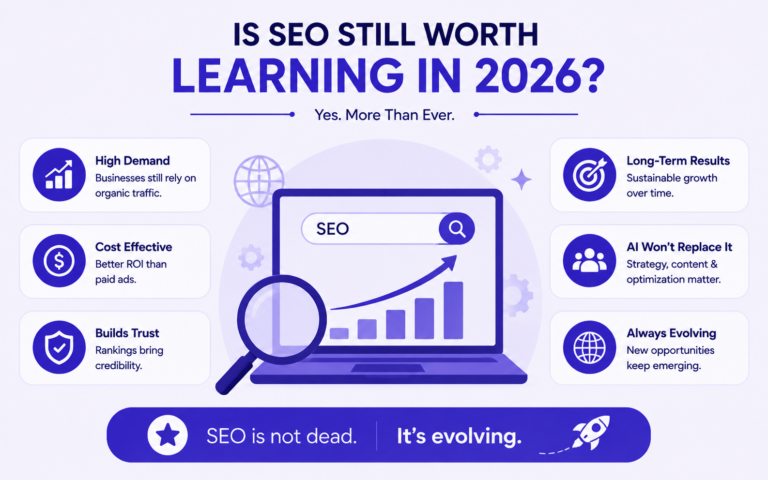
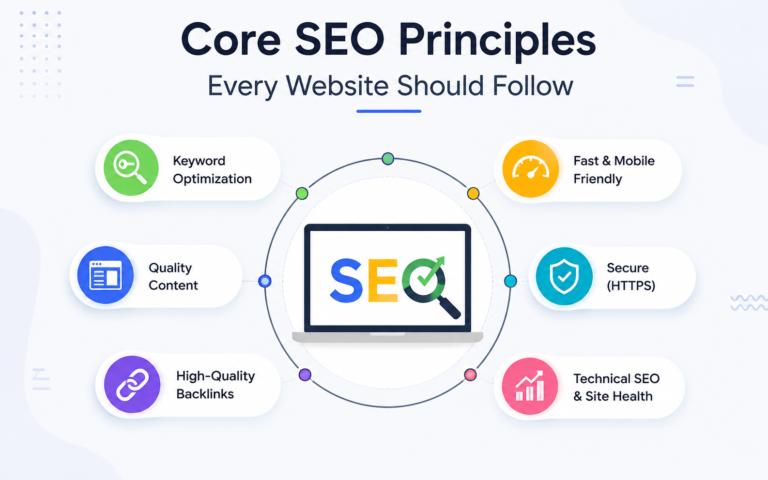
Most small business websites are not failing at SEO because of advanced technical problems or missing strategy. They are failing because of a small set of repeated, fixable mistakes that prevent Google from finding, understanding, and ranking their pages. This guide covers the 10 most common SEO mistakes small business owners make, why each one hurts rankings, and exactly what to do to fix it.
Mistake 1: Targeting Keywords That Are Too Competitive
A new or low-authority website targeting broad, high-competition keywords like “SEO agency,” “digital marketing,” or “restaurant Karachi” will not rank on page one regardless of how well the page is optimized. Google awards competitive keyword rankings to sites with years of accumulated authority, hundreds of backlinks, and deep content coverage. A new site competing for those terms is invisible.
Why This Happens
Most small business owners choose keywords based on what they want to rank for rather than what their domain can realistically compete for at its current authority level. The keyword feels right because it describes the business. But search engine ranking is a competition, and entering a competition you cannot win wastes months of effort.
How to Fix It
- Use a free tool like Ubersuggest or the free version of Ahrefs Webmaster Tools to check Keyword Difficulty (KD) scores before targeting any keyword
- For new or low-authority sites, target keywords with a KD score below 20
- Prioritize long-tail keywords: specific, lower-volume phrases like “affordable SEO services for small business in Lahore” instead of “SEO services Pakistan”
- Target location-specific keywords: city-level competition in Pakistani markets like Bahawalpur, Faisalabad, or Multan is significantly lower than national terms, making page-one rankings achievable in 2 to 4 months for well-optimized pages
Mistake 2: Ignoring Technical SEO Completely
Publishing content on a technically broken website is the equivalent of opening a shop on a street Google cannot see. If your pages have crawl errors, indexation blocks, or Core Web Vitals failures, no amount of content or link building will produce consistent rankings.
Why This Happens
Technical SEO is invisible to the business owner. A page that looks perfect on screen can be completely inaccessible to Google due to a noindex tag, a robots.txt block, or a redirect chain that stops crawlers from reaching the final URL. Without actively checking, these problems go undetected for months or years.
How to Fix It
- Connect your site to Google Search Console (free). Navigate to Coverage to see which pages are indexed, excluded, or generating errors.
- Run a
site:yourdomain.comsearch in Google. Every result shown is an indexed page. If important pages are missing, investigate the cause in Search Console. - Check your WordPress Settings under Reading. Confirm “Discourage search engines from indexing this site” is unchecked on your live site.
- Check your SEO plugin (Yoast or Rank Math) for any service or landing pages accidentally set to noindex.
- Run your homepage through Google PageSpeed Insights. Address any Core Web Vitals failures flagged as Poor, starting with LCP (Largest Contentful Paint) caused by uncompressed images.
Mistake 3: Writing Content Without Matching Search Intent
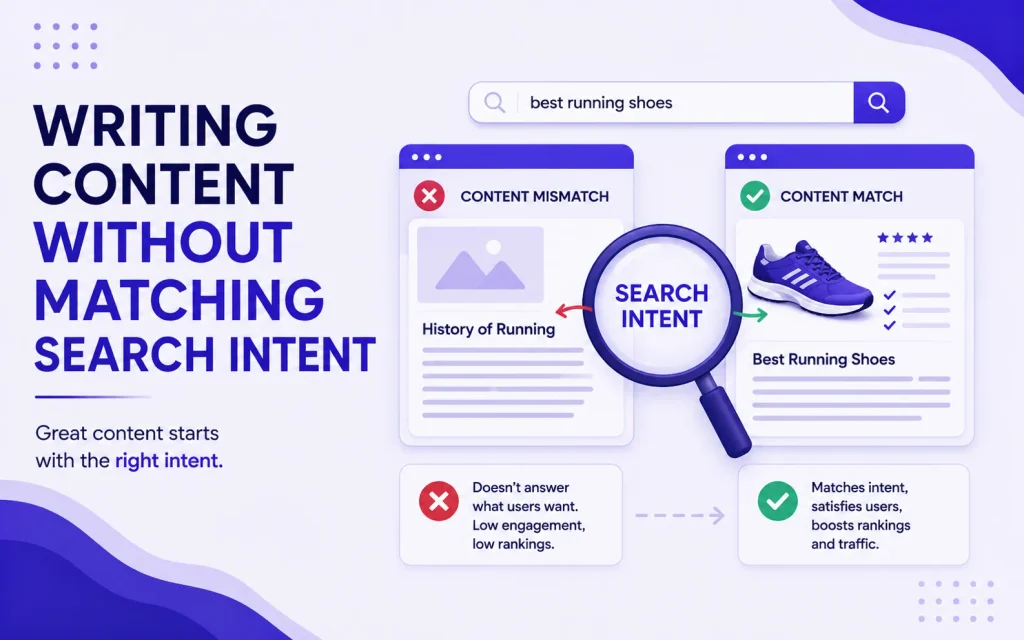
Publishing well-written content that does not match the format Google expects for a query is one of the most common and costly SEO mistakes. A service page targeting an informational keyword will not rank. A blog post targeting a transactional keyword will not convert. Intent mismatch means you never get the traffic, or you get the wrong traffic.
Why This Happens
Most small business owners write the content that feels natural to produce without checking what Google has already decided searchers want. Google has already analyzed millions of searches for every keyword and determined which content format best satisfies that query. Competing against that decision instead of working with it is a losing approach.
How to Fix It
- Before writing any page, search your target keyword in Google and analyze the top five results
- Identify the dominant content format: are results blog posts, service pages, comparison articles, product listings, or videos?
- Match your content to that format exactly. If the top five results are all “how to” guides, publish a “how to” guide, not a service page
- Identify the search intent category: informational (user wants to learn), navigational (user wants to find a brand), commercial (user is comparing options), or transactional (user is ready to act). Each requires a different page type and call to action
Mistake 4: Neglecting Google Business Profile
For local businesses, an unclaimed, incomplete, or unoptimized Google Business Profile (GBP) is the single most impactful missed opportunity in their entire digital marketing strategy. GBP is the primary ranking factor for local pack results, which appear above organic results for location-based searches and generate the majority of calls and direction requests for local businesses.
Why This Happens
Many small business owners either do not know GBP exists, claimed it years ago and never revisited it, or assume that having a website is enough for local visibility. GBP is a separate system from organic search and requires its own ongoing optimization.
How to Fix It
- Claim and verify your Google Business Profile at business.google.com if you have not already done so
- Complete every section: business name, address, phone number, website URL, hours, business category, description, and service areas
- Add high-quality photos of your business, team, and services. Listings with photos receive significantly more clicks than those without
- Select the most specific primary category available. “SEO Agency” ranks better for relevant searches than “Marketing Agency”
- Actively request reviews from satisfied customers. Review volume and recency directly influence local pack rankings
- Post updates to your GBP profile at least once per week. Active profiles rank higher than inactive ones
- Ensure your Name, Address, and Phone number (NAP) is identical across your website, GBP listing, and every directory where your business appears. Inconsistent NAP data suppresses local rankings
Mistake 5: Duplicating Title Tags and Meta Descriptions Across Pages
Every page on your website must have a unique title tag and meta description. When multiple pages share identical title tags, Google cannot determine which page is most relevant for a given query and may suppress all of them in favor of a single representative URL, or choose which one to rank without considering which is actually the best match.
Why This Happens
Duplicate title tags often appear when a site is built from a template where the same default title is applied to every page and never customized. They also appear on e-commerce sites where product variations (different sizes, colors) generate separate URLs with identical content.
How to Fix It
- In Google Search Console, navigate to Pages and look for the “Duplicate title tag” issue under the HTML improvements section
- Write a unique title tag for every indexed page on your site. Each title tag should include the primary keyword for that specific page, kept under 60 characters
- Write a unique meta description for every page. Even though meta descriptions are not a direct ranking factor, they control click-through rate in search results. A relevant, specific meta description increases the percentage of searchers who click your result
- For WordPress sites, the Yoast SEO or Rank Math plugin makes it straightforward to write custom title tags and meta descriptions for every page without touching code
Mistake 6: Building No Internal Links Between Pages
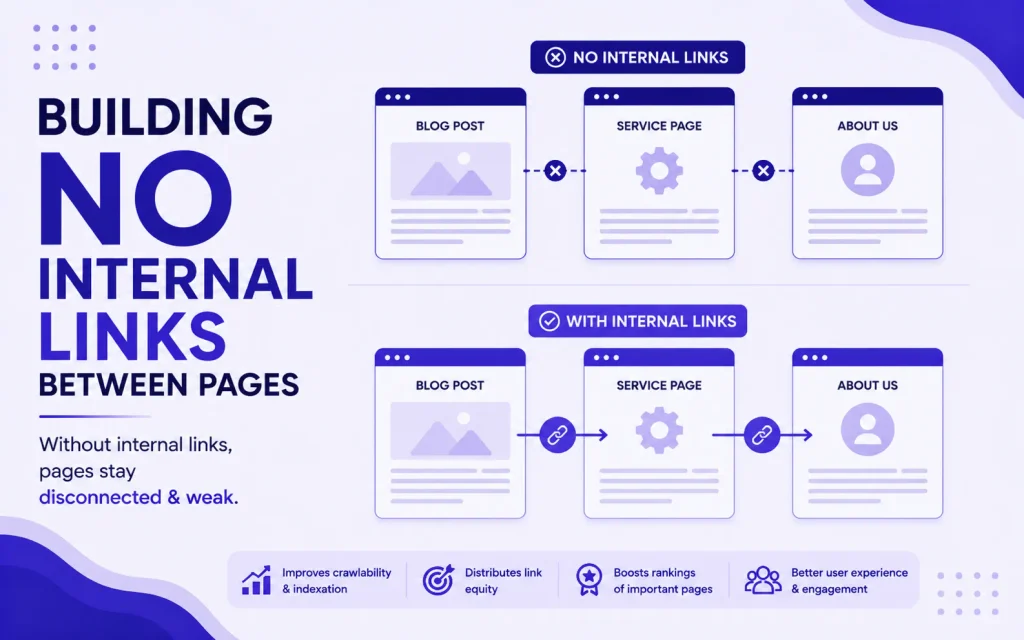
Internal links connect your pages to each other and serve two critical functions: they help Google discover and crawl all of your content, and they distribute authority from your strongest pages to your newer or weaker ones. A site where pages exist in isolation with no internal links is a site where most pages struggle to rank regardless of their content quality.
Why This Happens
Most small business owners think of internal links as a navigation feature rather than an SEO tool. They add a main menu and assume that is sufficient. In reality, contextual internal links embedded within body content, linking relevant pages to each other with descriptive anchor text, are significantly more powerful than menu links for distributing authority and guiding crawlers.
How to Fix It
- Every time you publish a new page or blog post, add at least two to three internal links from existing relevant pages on your site pointing to the new page
- Use descriptive, varied anchor text for internal links. Link to your SEO services page with phrases like “local SEO services,” “organic search optimization,” and “search ranking strategy,” not just “click here” or “SEO services” repeated identically each time
- Identify your highest-authority pages (those with the most backlinks or highest organic traffic) and add internal links from those pages to your newest or most important content. This passes authority directly to pages that need it most
- Never link a page to its own URL within its own body content. Internal links should always point to other pages on the site
She Earn’s SEO services in Bahawalpur and across Pakistan include a full internal linking audit as part of every site optimization engagement.
Mistake 7: Publishing Thin Content That Does Not Fully Answer the Query
A 300-word blog post or a service page with two paragraphs of generic description does not compete with comprehensive, detailed pages that fully address what a searcher is looking for. Google’s Helpful Content system explicitly targets content that exists primarily to rank rather than to genuinely inform or help the reader. Thin content either does not rank or ranks briefly before being suppressed.
Why This Happens
Publishing thin content is faster. Writing a 400-word page takes an hour. Writing a genuinely useful, comprehensive 1,500-word guide takes considerably longer. Many small business owners publish thin pages to tick a box rather than to genuinely answer the questions their potential customers are asking.
How to Fix It
- Before writing, search your target keyword and read the top three ranking pages in full. Your content needs to be at least as comprehensive as the best-ranking result, covering the same subtopics plus any angles those pages miss
- Aim for a minimum of 800 words for blog posts targeting informational queries. Service pages targeting transactional queries can be shorter but must clearly answer: what the service includes, who it is for, where it is available, what it costs (or how pricing works), and how to get started
- Add an FAQ section to every blog post and service page targeting at least three to four questions searchers commonly ask about the topic. FAQ sections increase content depth, target long-tail query variations, and qualify for FAQ schema markup that can expand your SERP listing
- Update and expand existing thin pages rather than deleting them. A page with some existing crawl history and internal links that is expanded to genuine usefulness often ranks faster than a brand new page on the same topic
Mistake 8: Ignoring Mobile Optimization
Google indexes and ranks the mobile version of your website first. This is not optional or a preference. It is how Google’s core infrastructure works. A website that looks and performs well on desktop but loads slowly, displays incorrectly, or provides a poor user experience on mobile will rank below mobile-optimized competitors regardless of every other SEO factor.
Why This Happens
Many small business websites in Pakistan were built for desktop-first audiences or were not updated after Google’s mobile-first indexing rollout. Business owners who primarily access their own site from a desktop computer never experience the broken mobile version their actual customers see. In Pakistan, where over 70% of internet traffic comes from mobile devices, this is not a minor issue. It is the primary user experience for the majority of potential customers.
How to Fix It
- Open your website on your phone right now. Check whether text is readable without zooming, buttons are large enough to tap, and the page loads in under 3 seconds on a mobile connection
- Run your site through Google’s PageSpeed Insights tool and check the mobile score specifically. Scores below 50 indicate significant issues requiring immediate attention
- Ensure images are compressed. Uncompressed images are the most common cause of mobile page speed failures. Install ShortPixel or Smush on WordPress and bulk-compress your media library
- Verify your site uses a responsive theme that adapts layout to screen size automatically. Most modern WordPress themes are responsive by default, but older or custom themes may not be
- Check tap target sizes. Buttons and links should be at least 44px tall so they are tappable without accidentally activating adjacent elements
Mistake 9: Getting No Backlinks and Building No Authority
A website with strong content, correct technical SEO, and no external backlinks will rank significantly below a competitor with similar content and even a modest number of relevant backlinks. Backlinks remain one of Google’s strongest ranking signals. A site that earns no links from any external source is a site Google has little reason to trust over established competitors.

Why This Happens
Backlink building requires outreach, relationships, and time. It is the least passive part of SEO. Many small business owners focus entirely on on-page factors they can control directly and assume backlinks will appear naturally once their content is good enough. For most sites in most niches, that assumption is wrong. Good content helps earn links but does not automatically generate them.
How to Fix It
- Local citations first: Submit your business to Google Business Profile, Pakistan-specific directories, and industry directories. Citation building is the most accessible form of link building and directly supports local pack rankings
- Partner and supplier mentions: Ask businesses you work with, suppliers you purchase from, and organizations you are a member of to link to your website from theirs. These links are easy to earn because the relationship already exists
- Guest posts on relevant sites: Identify blogs, industry publications, and local business sites in your niche and pitch articles that link back to your site. Even two to three quality guest posts in the first three months makes a measurable difference for new sites
- Local press and community coverage: Sponsoring a local event, contributing to a community initiative, or being featured in a local news article generates backlinks from locally relevant sources that Google values for local search rankings
- Create linkable assets: Original research, data, comprehensive guides, and tools attract links from other sites naturally. A well-researched guide on “SEO statistics for Pakistani businesses” is the kind of content other marketing writers link to as a source
Mistake 10: Checking Rankings Daily and Drawing Conclusions Too Early
Daily rank checking is one of the most common and least productive SEO activities. Google’s rankings fluctuate constantly based on algorithm updates, personalization, search location, device, and dozens of other variables. A position checked today may differ from the same position checked tomorrow with no actual change in your page’s SEO performance. Drawing conclusions or making changes based on daily rank fluctuations leads to poor decisions and abandoned strategies that would have worked with more patience.
Why This Happens
Rankings are the most visible metric in SEO and the easiest to check. Watching them daily feels productive. It also produces anxiety when positions drop temporarily, leading to premature strategy changes that disrupt work that was actually performing correctly on a longer timeline.
How to Fix It
- Track rankings on a monthly cadence, not daily. Use the 28-day comparison view in Google Search Console’s Performance report to identify genuine trend changes versus normal fluctuation
- Measure what rankings produce, not just the rankings themselves. Organic traffic, leads generated from organic traffic, and conversion rate from organic visitors are the metrics that tell you whether your SEO is working, not the daily position of any individual keyword
- Set a minimum evaluation window of 90 days before concluding that a strategy is not working. Most legitimate SEO changes take 6 to 12 weeks to produce stable ranking movements that can be meaningfully assessed
- Use Google Search Console’s average position metric rather than a third-party rank tracker for your primary tracking. Search Console averages position across all searches and devices, giving a more representative picture than a single daily check from one location
SEO Mistakes Quick Reference Checklist
Use this checklist to audit your current site for the mistakes covered in this guide.
Keyword and Content
- All target keywords have been checked for difficulty score before publishing
- Every page targets keywords appropriate for your current domain authority
- Every page content format matches the search intent for its target keyword
- No page has fewer than 600 words of substantive, useful content
- Every blog post and service page includes an FAQ section
Technical SEO
- All key pages are indexed and confirmed in Google Search Console
- No important pages have a noindex tag applied accidentally
- Site loads in under 3 seconds on mobile (confirmed via PageSpeed Insights)
- Core Web Vitals scores are passing for all key pages
- Site is fully responsive and usable on a mobile device
On-Page SEO
- Every page has a unique title tag under 60 characters
- Every page has a unique meta description under 155 characters
- Every page has exactly one H1 that matches the page topic
- Internal links connect pages to each other with varied anchor text
- No page links to its own URL in its body content
Off-Page and Local SEO
- Google Business Profile is claimed, complete, and actively maintained
- NAP (Name, Address, Phone) is consistent across all online listings
- At least 10 relevant external sites link to the domain
- Local citation building is underway across relevant directories
Frequently Asked Questions About SEO Mistakes
What Is the Biggest SEO Mistake Small Businesses Make?
The single most common and impactful mistake is targeting keywords that are too competitive for the site’s current authority level. A small business spending six months publishing content for high-competition keywords and seeing no results is almost always a business that skipped keyword difficulty research. Shifting to long-tail and location-specific keywords with lower difficulty scores produces visible ranking results far faster and builds domain authority that eventually supports targeting more competitive terms.
Can Bad SEO Hurt My Website?
Yes. Certain SEO practices actively harm rankings rather than simply failing to improve them. Buying low-quality backlinks from link farms or private blog networks can trigger Google’s spam detection and result in a manual penalty that removes pages from search results entirely. Keyword stuffing, where a keyword is repeated excessively and unnaturally throughout a page, triggers over-optimization signals. Duplicate content across multiple pages without canonical tags confuses Google and suppresses rankings for all versions. Thin, low-quality content published at high volume can trigger Google’s Helpful Content system and suppress rankings sitewide.
How Do I Know If My SEO Is Working?
The most reliable indicators that SEO is working are measurable increases in organic impressions and clicks in Google Search Console over a 28 to 90 day period, pages moving from positions 20 to 50 into the top 10 for target keywords, and growth in organic traffic sessions in Google Analytics 4. Rankings fluctuate daily, so monthly trends are more meaningful than daily position checks. If your Search Console data shows growing impressions but low clicks, the issue is title tags and meta descriptions, not rankings. If impressions are flat or falling after 90 days of consistent work, revisit keyword targeting and technical indexation.
How Long Does It Take to Fix SEO Mistakes and See Results?
Technical fixes like resolving indexation errors, fixing noindex tags, and improving page speed often produce visible results within 2 to 6 weeks once Google recrawls the affected pages. On-page improvements to title tags, content depth, and internal linking typically show ranking movement within 4 to 10 weeks. Authority-related improvements from backlink building take longer: 6 to 16 weeks depending on the authority of the linking sites and how frequently Google crawls them. The fastest results always come from fixing technical issues first, because they unblock all other SEO work that is already in place.
Fix the Basics Before Anything Else
Every mistake on this list is fixable. None of them require a large budget, advanced technical knowledge, or months of work to address. The businesses that see the strongest SEO results are almost always the ones that identified these foundational errors early, fixed them systematically, and stayed consistent long enough for the compounding effect of good SEO to show up in their analytics.
If you want a professional audit that identifies which of these mistakes are currently affecting your site and a clear plan for fixing them, the She Earn team is available to review your site and prioritize the highest-impact fixes for your specific situation. If you want to build the knowledge to identify and fix these issues yourself, She Earn’s SEO courses cover every topic in this guide with structured, practical instruction built for the Pakistan market.