
If your business is not showing up on Google Maps, the cause is almost always one of eight specific problems: an unverified or suspended Google Business Profile, an incorrect or missing service area, a profile that violates Google’s guidelines, a new listing that has not yet propagated through Google’s systems, keyword or location mismatch between your profile and the search query, insufficient prominence signals compared to local competitors, a website with technical issues suppressing your local signals, or a duplicate listing that is splitting your authority. This guide diagnoses every cause and gives you the exact steps to fix each one.
Step Zero: Confirm Exactly What You Are Seeing
Before diagnosing the problem, confirm precisely what is happening. The fix differs significantly depending on which of these situations describes your experience. Match your situation to the table below before moving to any of the numbered reasons.
Which Situation Matches Yours?
Use this table to identify which section of this guide applies to you. Each situation points to a different root cause and a different fix.
| Situation | Most Likely Cause | Where to Start |
|---|---|---|
| Profile exists but does not appear in any searches | Unverified profile, suspension, or guideline violation | Reason 1 and Reason 2 |
| Profile appears when searching the exact business name but not for service keywords | Incomplete profile, wrong category, or low prominence | Reason 3 and Reason 5 |
| Profile appears in some locations but not others | Service area misconfiguration or distance disadvantage | Reason 4 |
| Profile was visible before and has now disappeared | Suspension, guideline violation, or competitor report | Reason 2 |
| Profile is new and not showing at all | Propagation delay or pending verification | Reason 1 |
| Profile shows in map view but not in local pack results | Low prominence, few reviews, or weak website signals | Reason 5 and Reason 6 |
Reason 1: Your Profile Is Not Verified
An unverified Google Business Profile is invisible in local pack results and may not appear in Google Maps at all. Verification is not optional. It is the gate that separates a profile Google treats as a real, trusted business from one it has no reason to rank.
How to Check Verification Status
Start here before anything else. If your profile is not verified, every other optimization step is pointless until this is resolved.
- Go to business.google.com and sign in with the account associated with your business
- If your profile dashboard shows a banner saying “Verify now” or “Get verified,” your profile is not yet verified
- If you do not see your business listed in the dashboard at all, search for your business name on Google and check whether an unclaimed listing exists. If it does, click “Own this business?” and begin the claim and verification process.
How to Complete Verification
Google offers five verification methods. Choose the fastest one available for your business type. The options are listed below in order of speed.
- Phone or SMS verification: Available for eligible businesses. Google sends a code to your listed phone number within seconds. Enter the code in your GBP dashboard to complete verification immediately.
- Email verification: Available for some businesses. Google sends a code to your verified email address.
- Postcard verification: Google mails a postcard with a verification code to your listed business address. This takes 5 to 14 days. Do not make significant profile changes while waiting for the postcard as this can reset the process.
- Video verification: Google may request a short video walkthrough of your business location, exterior signage, and operational evidence. Submit through the GBP dashboard and wait 1 to 3 days for review.
- Instant verification: Available if your website is already verified in Google Search Console using the same Google account. The profile verifies automatically.
After verification is confirmed, allow 24 to 72 hours for your profile to appear in Google Maps and local search results. In some cases propagation takes up to a week.
Reason 2: Your Profile Is Suspended or Has a Guideline Violation
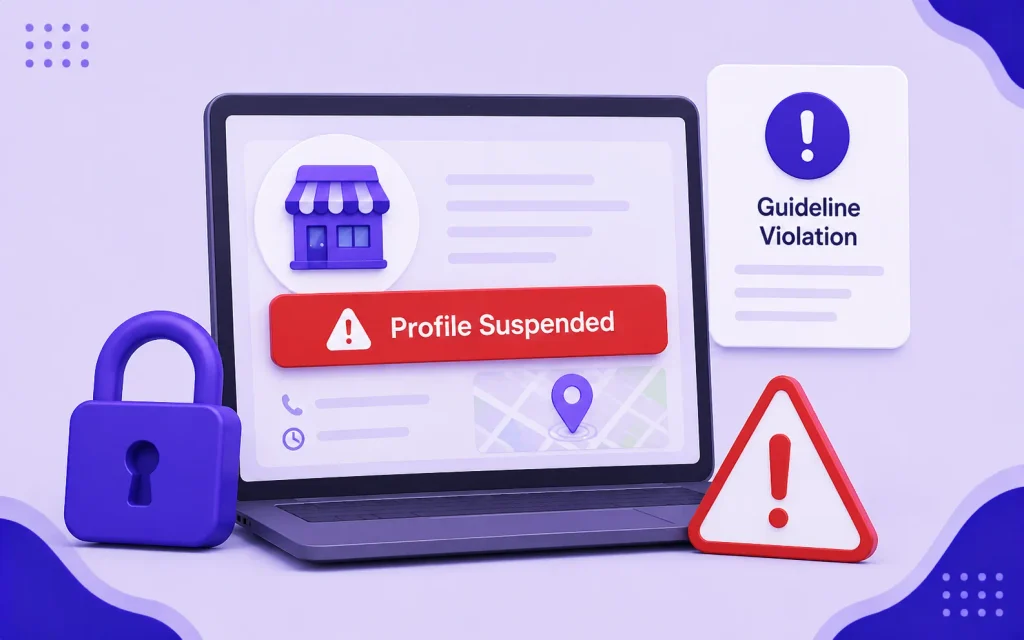
A suspended Google Business Profile is removed from Maps and local search results entirely. Suspension is one of the most common and most overlooked reasons a business suddenly disappears from Google Maps. It happens without warning and without an explanation in most cases.
How to Check If Your Profile Is Suspended
Follow these steps to confirm whether a suspension is the cause of your visibility problem before attempting any other fix.
- Go to business.google.com and sign in
- If your profile shows a red “Suspended” label or a warning banner, your profile has been suspended
- If you cannot find your profile in the dashboard at all, search your business name on Google. If the profile appears with an “Unclaimed” or “Claim this business” label, it may have been suspended and reverted to an unclaimed state.
Common Reasons for Suspension
Google suspends profiles for specific, identifiable reasons. Review this list carefully because the reinstatement process requires you to fix the violation before submitting an appeal.
- Keyword stuffing in the business name: Adding keywords, locations, or descriptors to your business name field that are not part of your actual trading name is the most common cause of suspension. “She Earn SEO Agency Bahawalpur Digital Marketing” instead of “She Earn” will trigger a suspension.
- Using a virtual office, mailbox, or non-operational address: Google requires that businesses with a listed address be staffed and accessible to customers during stated hours at that address. A shared coworking space address used only for mail is not a qualifying address.
- Multiple profiles for the same business: Creating duplicate GBP listings for the same physical location triggers detection and suspension of one or all of the listings.
- Mismatched business category: A business listed in a category that does not match its actual services or that Google deems ineligible for GBP (certain business types are not permitted) can trigger a review and suspension.
- Sudden changes to core profile data: Changing your business name, address, and phone number simultaneously in a short period triggers Google’s fraud detection and can result in a soft suspension pending re-verification.
- Competitor reports: Competitors can report your listing as inaccurate or fraudulent. Google reviews reported listings and may suspend them pending investigation, even if the report is unfounded.
How to Reinstate a Suspended Profile
Work through these steps in order. Submitting a reinstatement request without first fixing the underlying violation will result in a rejected appeal.
- Identify and fix the violation before submitting a reinstatement request. Submitting without fixing the underlying issue will result in a rejected reinstatement.
- Remove any keywords from your business name field. Use only your exact legal or trading name.
- Confirm your listed address is a genuine operational location where your business operates during stated hours.
- Delete any duplicate listings for the same location.
- Go to the GBP Help Center and submit a reinstatement request through the Business Redressal Complaint Form.
- Provide evidence of your business’s legitimacy: utility bills, business registration documents, photos of exterior signage, and any other documentation confirming your business operates at the listed address.
- Reinstatement reviews typically take 3 to 10 business days. Google may request additional documentation.
Reason 3: Your Profile Is Incomplete or Poorly Optimized
A profile that exists and is verified but is missing key sections will not rank competitively for service-based local searches. Google uses profile completeness as a relevance signal. An incomplete profile tells Google it does not have enough information to confidently match your business to a searcher’s query.
Profile Completeness Audit
Check each of these sections in your GBP dashboard. Any missing or inadequate section is suppressing your relevance signals and should be completed before moving to other fixes.
- Primary category: Is it the most specific category available for your business? A vague primary category like “Business” or “Service” provides almost no relevance signal. Select the category that most precisely describes your core service.
- Secondary categories: Have you added all relevant secondary categories up to the maximum of nine? Each secondary category expands the query types your profile can appear for.
- Business description: Is it written with your primary service keyword and city name included naturally? A description that says only “We are a great company” provides no keyword relevance signals to Google.
- Services section: Are all your individual services listed with descriptions? This is one of the most commonly incomplete sections and one of the most impactful for query matching.
- Photos: Does your profile have at least 10 photos? Profiles with no photos or only one photo rank significantly below competitors with comprehensive photo galleries.
- Hours: Are your hours set for every day of the week? A profile with no hours listed is treated as less trustworthy than one with complete, accurate hours.
- Website URL: Is your website URL linked? The content on your website is used by Google to assess relevance and reinforce the signals in your profile.
Reason 4: Your Service Area Is Incorrectly Configured
Service area businesses, those that visit customers at their location rather than serving them at a fixed address, are particularly vulnerable to service area misconfiguration. If your service area is not correctly defined in your GBP profile, your business will not appear in local searches for the cities and areas you actually serve.
How to Check and Fix Your Service Area
Follow these steps to confirm your service area is set up correctly and covering all the cities where you want to appear in local search results.
- In your GBP dashboard, navigate to “Edit profile” and then “Location”
- If you are a service area business, confirm that “I serve customers at their location” is selected
- Check the service area list. Every city you actively serve should be listed individually. If you serve Bahawalpur, Multan, and Rahim Yar Khan, all three should be listed separately, not combined into a vague region description.
- Remove any service areas that are unrealistically far from your actual operational base. Google’s algorithm treats overly broad service areas as a credibility issue, not an advantage.
- If you have a physical address and also serve customers remotely, keep your address visible and add your service area cities in addition to your physical location.
Service Area vs. Physical Location: Which to Use
Many business owners are unsure which configuration applies to them. Use this table to identify the correct setup for your specific business type.
| Business Type | Correct GBP Configuration |
|---|---|
| Has a physical office or shop customers visit | Show address. Add service area only if you also serve customers at their location. |
| Goes to customers only, no customer-facing office | Hide address. Define service area by listing cities you serve. |
| Has an office and also serves customers remotely or at their location | Show address. Add service area covering all cities served. |
| Uses a home address or virtual office | Hide address. Define service area. Do not list a home address publicly. |
Reason 5: Low Prominence Compared to Local Competitors
Even a verified, complete, and correctly configured profile will not appear in the local pack if competitors have significantly stronger prominence signals. Prominence is built from review quantity and recency, citation consistency across the web, backlinks from locally relevant sites, and overall online activity. A business with 5 reviews competing against competitors with 80 reviews will almost always rank below them regardless of other profile quality signals.
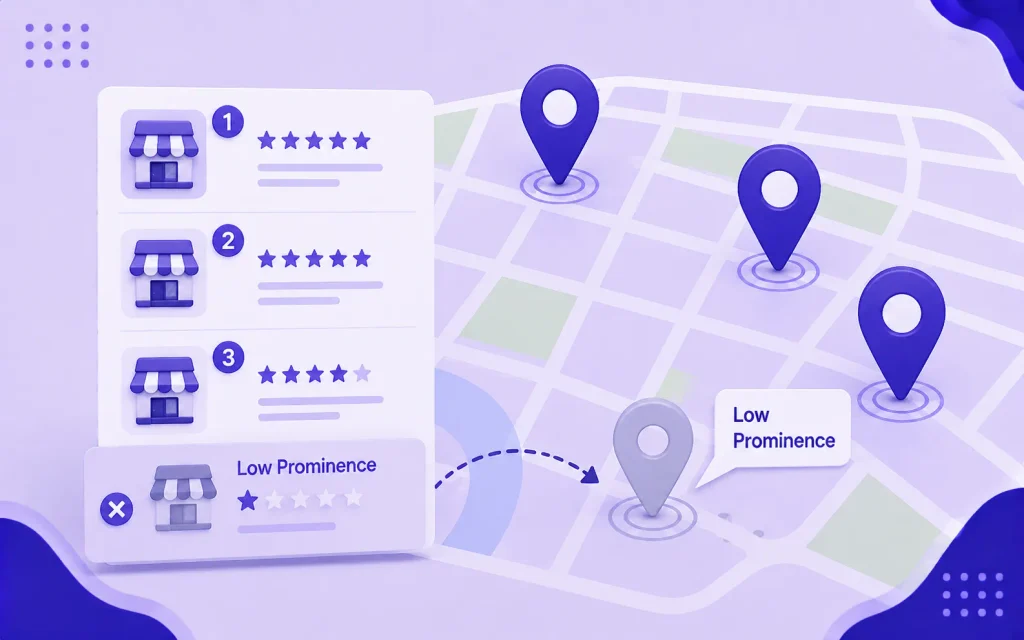
How to Diagnose a Prominence Problem
Before building reviews or citations, confirm that prominence is actually your gap by comparing your profile directly against the businesses currently ranking above you.
- Search your primary service keyword plus city in Google on an incognito browser window
- Click on the top three local pack results and check their review counts and average ratings
- Note how many photos each competitor has on their GBP profile
- Check when their most recent review was posted
- Search their business name to see how many directory listings appear in the first two pages of results
If your competitors have 50 to 100 more reviews, significantly more photos, and appear in many more directory listings than your business, prominence is your primary gap. The fix is a sustained review generation and citation building campaign, not a technical profile change.
How to Build Prominence Faster
These four actions directly improve your prominence score. Work through them consistently rather than in a single burst, since recency and ongoing activity are both signals Google weighs.
- Review generation: Send direct review link requests to every recent client via WhatsApp immediately after a positive project outcome. Target a minimum of 3 to 5 new reviews per month. Consistency over time outperforms a single burst of review requests followed by no activity.
- Citation building: Submit your business with consistent NAP (Name, Address, Phone) to Pakistan-specific directories including Google Business Profile, Facebook Business, Rozee.pk, and local chamber listings. For US markets, prioritize Yelp, Bing Places, Apple Maps, and the BBB.
- GBP posting frequency: Publish at least one Google Post per week. Regular posting activity is a prominence signal that reflects an active, operating business.
- Local backlinks: Earn mentions and links from locally relevant websites: local press, partner businesses, industry associations, and community organizations. Each locally relevant backlink contributes to your prominence score.
Reason 6: Your Website Is Sending Conflicting Local Signals
Google cross-references your website content against your GBP profile when assessing the relevance and trustworthiness of your local listing. A website that lists a different address, phone number, or business name than your GBP profile creates a conflict that suppresses local rankings. A website with no local signals at all provides no reinforcement to your GBP data.
Website Local Signal Audit
Run through each item below and fix any that do not match or are missing entirely. Even a single inconsistency in your NAP data can suppress your local pack position.
- NAP consistency: Open your website footer right now. Does your business name, address, and phone number exactly match what appears in your GBP profile? Even minor formatting differences, like “0329-2997093” vs “0329 2997093,” create inconsistency signals. Fix to match exactly.
- City name on key pages: Does your homepage include your city name in the title tag, H1 heading, and body content? A homepage with no city reference provides no geographic relevance reinforcement to Google.
- Location page: Do you have a dedicated page for your primary city? A homepage that mentions your city once in the footer is not a location page. She Earn’s dedicated pages for SEO services in Bahawalpur, Karachi, Lahore, and Islamabad each serve as standalone local signals for those markets.
- LocalBusiness schema: Is LocalBusiness schema markup installed on your homepage? This structured data tells Google your NAP, hours, service area, and business type in a format it can read with certainty, reinforcing every other local signal on the page.
- Mobile performance: Run your site through Google PageSpeed Insights and check the mobile score. A mobile score below 50 suppresses local rankings because Google indexes the mobile version of your site first. In Pakistan where over 70% of searches happen on mobile, this is a particularly high-impact issue.
Reason 7: You Have a Duplicate GBP Listing
Duplicate Google Business Profile listings split your authority and confuse Google about which listing to rank. Two listings for the same business at the same address compete against each other rather than combining their signals, meaning neither ranks as well as a single consolidated listing would.
How to Find Duplicate Listings
Search for your business using these four methods to catch any duplicate listings that may be diluting your ranking signals.
- Search your exact business name in Google Maps. If more than one listing appears for your business, you have duplicates.
- Search your business phone number in Google. Any listing using the same number is likely a duplicate.
- Search your business address in Google Maps. Multiple pins at the same address indicate duplicate listings.
- Sign in to business.google.com and check whether multiple profiles appear in your dashboard.
How to Remove or Merge Duplicate Listings
The correct approach depends on whether you own the duplicate listing and whether it has accumulated reviews that you want to preserve.
- If you own both listings: mark the duplicate as permanently closed, then request removal through the GBP support tool
- If you do not own the duplicate: use the “Suggest an edit” feature on the duplicate listing to mark it as permanently closed or as a duplicate of your primary listing
- If the duplicate has more reviews than your primary listing: do not delete it without first consulting Google support about whether reviews can be migrated. Deleting a listing removes all associated reviews permanently.
- After removing duplicates, allow 2 to 4 weeks for your primary listing’s authority to consolidate and rankings to improve
Reason 8: Your Business Is Too New and Has Not Propagated Yet
A newly created and verified Google Business Profile does not appear in Google Maps and local search results immediately. Google takes time to process new listings, assess their legitimacy, and integrate them into local search results. This is a normal part of the process, not a problem requiring a fix.
Typical Propagation Timeline for New Listings
Use this timeline to understand what is normal at each stage after verification. If your profile has been verified for longer than the timeframes shown and is still not appearing, the cause is one of the other reasons in this guide, not propagation delay.
| Stage | Typical Timeline | What You Can Do |
|---|---|---|
| Profile created and verification submitted | Day 0 | Complete all profile sections while waiting for verification |
| Verification confirmed | Immediate to 14 days depending on method | Begin adding photos and publishing your first Google Post |
| Profile appears in Google Maps when searching exact business name | 24 to 72 hours after verification | Send review requests to existing contacts |
| Profile eligible to appear in local pack for service keywords | 1 to 4 weeks after verification | Build citations and begin local content publishing |
| Consistent local pack positions for primary keywords | 4 to 12 weeks depending on competition | Continue review generation, posting, and citation building |
If your profile has been verified for more than four weeks and still does not appear in local search results for your primary service keywords, the cause is not propagation delay. It is one of the other reasons in this guide.
Reason 9: Distance Is Working Against You
Distance is one of Google’s three core local ranking factors and it is the one factor you cannot optimize directly. If a searcher is physically located far from your business, Google will prioritize closer competitors regardless of how well-optimized your profile is.
What You Can Do About Distance
While you cannot move your business closer to every potential customer, these four actions help offset a distance disadvantage through stronger relevance and prominence signals.
- Target keywords that specify your location: Searches like “SEO agency in Bahawalpur” use the city as the geographic anchor, not the searcher’s physical location. A well-optimized profile for Bahawalpur will appear for that query regardless of where the searcher physically is.
- Build enough prominence to overcome distance: Google can show a business that is slightly farther away if its prominence signals are significantly stronger than closer competitors. Consistent review generation, active posting, and strong citation consistency all contribute to the prominence signals that can overcome a distance disadvantage.
- Create location-specific pages on your website: Dedicated service pages for each city you target, linked from your GBP profile, expand the geographic signals Google associates with your business and can help you appear in searches from cities where you do not have a physical presence.
- Add those cities to your GBP service area: For service area businesses, adding a city to your service area definition signals to Google that you are eligible to appear in searches from that area.
Quick Diagnosis Checklist
Work through this checklist in order to identify your specific problem. Stop at the first item that reveals an issue and fix it before continuing. Fixing the wrong thing first wastes time and delays your recovery.
Verification and Status
- Sign in to business.google.com. Does your profile appear in the dashboard?
- Does your dashboard show any “Verify now,” “Suspended,” or warning banners?
- Search your exact business name on Google. Does a listing appear? Is it verified or unclaimed?
- If suspended: identify the guideline violation, fix it, and submit a reinstatement request
Profile Completeness
- Is your primary business category the most specific available option?
- Have you added secondary categories?
- Is your business description written with your primary keyword and city included?
- Are all your services listed with individual descriptions?
- Do you have at least 10 photos uploaded?
- Are your hours set for every day of the week?
NAP and Website Consistency
- Does your website footer NAP exactly match your GBP listing in format and content?
- Does your homepage include your city name in the title tag, H1, and body content?
- Is LocalBusiness schema installed and verified using Google’s Rich Results Test?
- Is your mobile PageSpeed Insights score above 50?
Prominence
- How many Google reviews do you have? How does this compare to the top three competitors in your local pack?
- Is your average rating 4.0 or above?
- When was your most recent review posted? Is it within the past 30 days?
- Are you listed in at least 10 consistent directory citations?
Duplicates
- Search your business name, phone number, and address in Google Maps. Do more than one listing appear for your business?
- If duplicates exist: claim and close the duplicate or report it through the “Suggest an edit” function
Frequently Asked Questions About Google Maps Visibility
How Long Does It Take to Show Up on Google Maps After Verifying?
After verification is confirmed, most profiles appear in Google Maps when the exact business name is searched within 24 to 72 hours. Appearing in the local pack for service-based keywords (searches like “SEO agency in Karachi” rather than your actual business name) typically takes 1 to 4 weeks for newly verified profiles in lower-competition markets and 4 to 12 weeks in higher-competition city markets. If your profile has been verified for more than 4 weeks and does not appear for any service keywords, the issue is profile quality or prominence rather than propagation delay.
Why Does My Business Appear on Google Maps but Not in the Local Pack?
Appearing on Google Maps when your business name is searched directly means your profile is verified and indexed. Not appearing in the local pack for service keywords means your profile has insufficient relevance or prominence signals to outrank the three businesses Google currently shows. The most common causes are: an incomplete profile missing category details or service descriptions, fewer reviews than competing businesses, inconsistent or missing NAP citations, and a website that does not reinforce your GBP location signals. Address these in order and track local pack positions monthly.
Can a Competitor Get My Google Business Profile Removed?
A competitor can report your GBP listing as inaccurate, fake, or in violation of Google’s guidelines. If Google reviews the report and finds evidence of a policy violation, it may suspend the profile. If the report is unfounded and your profile complies with all guidelines, Google should reinstate it after review. The best protection against competitor reports is operating a fully compliant profile: using your exact business name with no keyword additions, listing a genuine operational address, and maintaining accurate hours and contact information. A compliant profile is difficult to successfully report.
Does Having More Photos Help My Business Rank Higher on Google Maps?
Yes. Photos are a profile activity signal and a relevance signal. Google Business Profiles with more photos receive more profile views and engagement than those with fewer photos, and that engagement data feeds into prominence signals that influence local pack rankings. Adding photos also signals to Google that the profile is actively managed. Aim for a minimum of 10 photos at launch and add 2 to 3 new photos every month. Photos of your workspace, team, and actual work outputs perform better than stock images.
My Business Used to Show on Google Maps but Disappeared. What Happened?
A profile that was previously visible and has disappeared is almost always the result of a suspension triggered by a guideline violation, a competitor report, or a sudden significant change to core profile data. Sign in to business.google.com and check for any suspension banners or warnings. If suspended, identify the specific violation, correct it, and submit a reinstatement request through the GBP Business Redressal Complaint Form with documentation proving your business is legitimate and operating at the listed address. If your profile shows as active with no suspension notice but has simply dropped out of the local pack, the issue is a prominence drop caused by competitors accelerating their review and citation building while your profile remained static.
Getting Back on Google Maps Is a Fixable Problem
Every reason a business does not appear on Google Maps has a specific, actionable fix. The most important step is diagnosing the correct cause before attempting a solution. A business that is suspended needs a reinstatement request, not more photos. A business with low prominence needs more reviews and citations, not a new profile. Use the quick diagnosis checklist above to identify your specific issue and work through the fix in the correct order.
If you have worked through this guide and your business is still not appearing in Google Maps or local search results, the She Earn team is available to audit your Google Business Profile and identify the specific issue suppressing your local visibility. For businesses that want to learn how to manage their own local SEO including GBP optimization and troubleshooting, She Earn’s SEO courses cover local SEO in full with practical instruction built for Pakistani and international markets.